
Manual
CueFlow User Manual
CueFlow is a desktop app that brings everything a live show needs — songs, lyrics, cues, audio, and timecode — together in a single project. With a cloud project you always open the latest version on any device and edit together in real time, with nothing lost. This manual walks you from first-time setup through show operation and cloud collaboration.
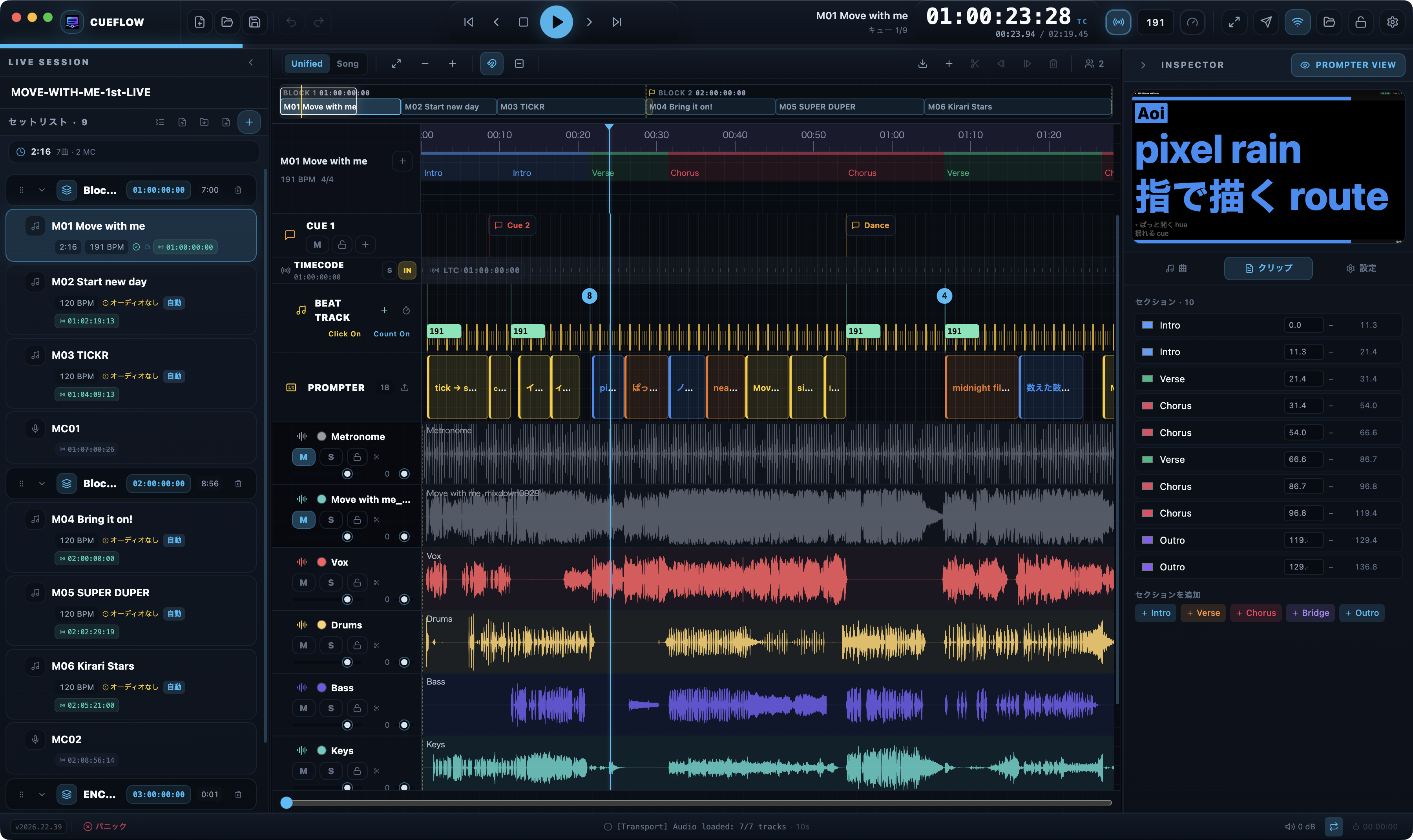
What CueFlow does
- Setlist management — Organize the day into blocks and programs (Song / MC / Break), each with a start timecode.
- Multitrack playback — Give each song multiple audio sources (2mix, click, guide, stems) and play them back in sample-accurate sync.
- Prompter — Stream lyrics, guides, and stage directions in real time to performers’ devices and dedicated output windows.
- Timecode — Send, receive, and chase LTC / MTC / Art-Net to stay locked with lighting, video, and audio departments.
- Cue / Shot tracks — Place human-readable cues plus camera and switching instructions on the timeline, and send them to a video switcher.
- Cloud collaboration — Share projects within an organization. Everyone opens the latest version on any device and co-edits in real time with nothing lost — plus comments, version history, and a Master Lock that pins everyone to a chosen saved version for show time (Team plan and up).
Who it is for
CueFlow is built for live-show operators (manipulators) first, and for the whole production team around them: show directors, audio engineers, camera/switcher crews, and the performers reading the prompter. The UI ships in Japanese by default and can be switched to English at any time from Settings.
Key concepts
These terms are used throughout the manual. Skim this table once and every page will read easily.
| Term | Description |
|---|---|
| Project | The top-level unit (.cueflow). Contains audio (Audio/), prompter images (Assets/), backups, and waveform data. |
| Song | One performed song. Holds prompt blocks, sections, beat clips, and audio clip placement. |
| MC | A spoken/talk segment. Advances manually page by page; timecode holds while an MC is active. |
| Program | One setlist row (Song or MC) — the unit of playback. |
| Section | A large structural region of a song (verse, chorus, bridge). Shown as a colored band above the timeline. |
| Prompt Block | A timed prompter unit with a start and end, containing lyric, guide, and direction lines. |
| Beat Clip | Declares the BPM (and time signature) from its position onward. Drives the click, beat grid, and snapping. |
| Cue Track | A track for human cues, cue messages, and MIDI / OSC / Art-Net signal cues. |
| Shot Track | A track for camera cues and switching instructions, with optional signal output to a switcher. |
| Organization | The cloud unit that groups projects and members (seats), with plan, billing, roles, and access control. |
| Saved version | A named version of a project saved in the cloud. Can be restored at any time. |