Live Production Timeline

CueFlow Show Control Timeline.

Unify performances and recordings along one timeline. Bring live shows, music performance, stage cues, timecode, lyric teleprompters, camera directions, and switching information into a single multitrack — then co-edit so the whole team builds the show with the latest information in front of them.

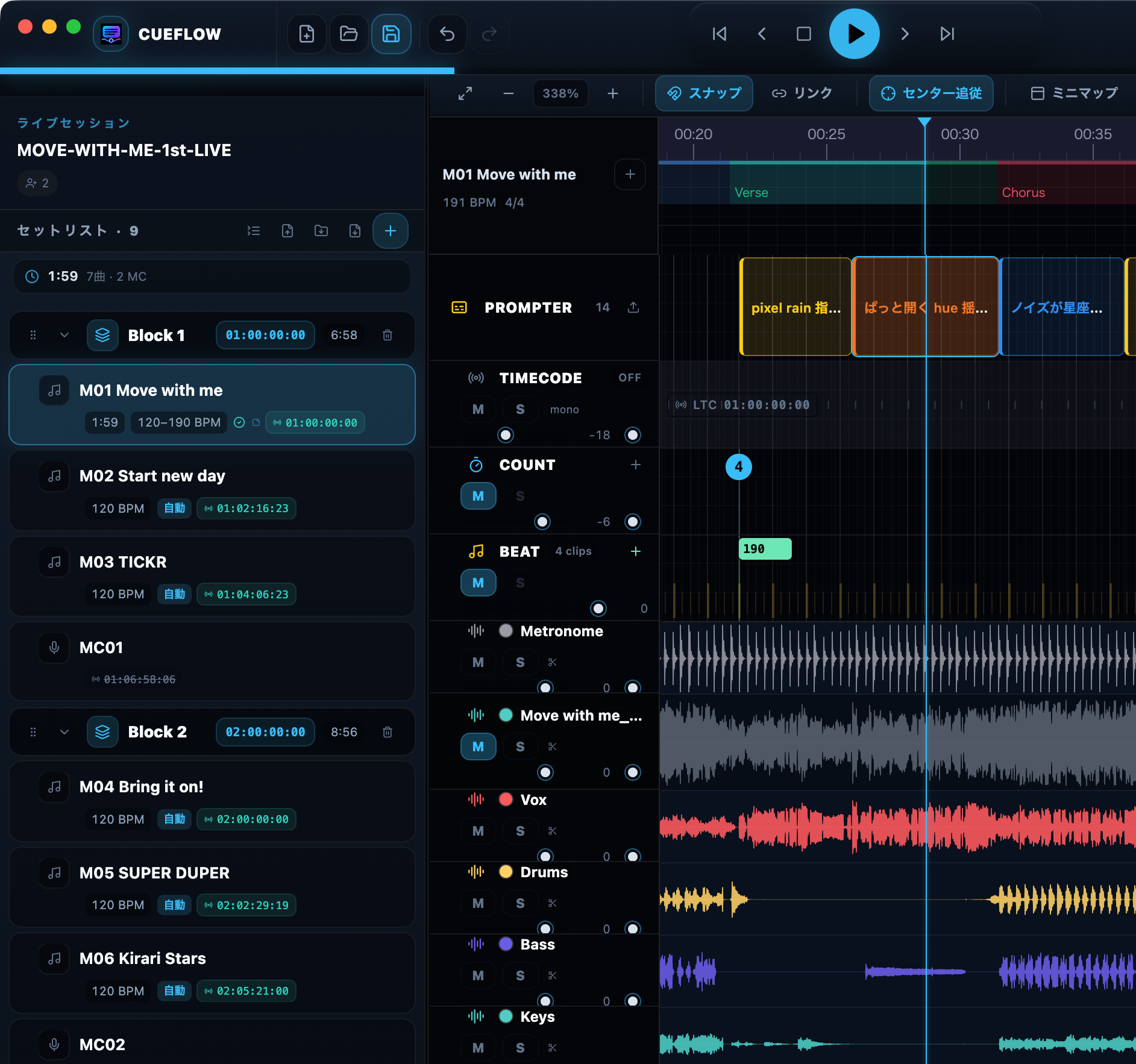
CueFlow timeline view
CueFlow prompter editor view
Scroll to explore

Unify show production as a sequence, and raise the quality of every cue.

CueFlow is more than a playback app and more than a lyric prompter. It combines sequencer, Production Prompter, Shot Track, and cue delivery workflows so the entire venue can follow one shared show timeline.

Sequencer Unify the production timeline around time. Keep music, cues, shots, LTC, MTC, and Art-Net I/O in the same flow.
Production Prompter Deliver synchronized information optimized for performers, directors, lighting, camera teams, and other sections.
AI Importer Analyze songs automatically and accelerate sequence layout, stem preparation, and first-pass show prep.

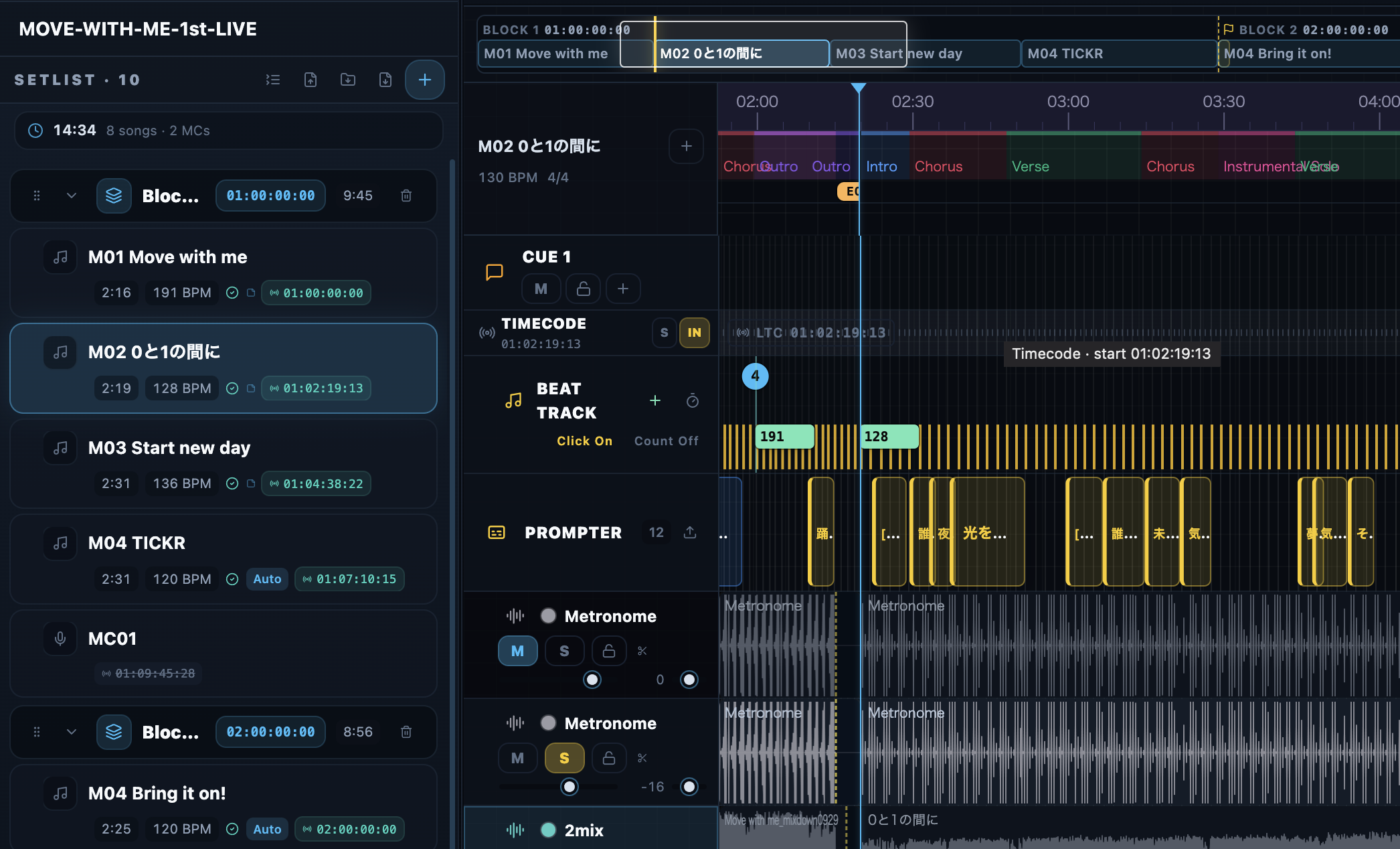
A DAW-style multitrack timeline for the full show clock.

Record music, cues, sections, beats, prompter content, Shot Tracks, MIDI/OSC/Art-Net, recording notes, and stage flow along the same show timeline. Work song by song or across the full setlist without changing your sense of time.

  • Place Audio / Cue / Shot / Prompter tracks on one timeline
  • Review cross-song flow in a unified view
  • Export Cue Sheet XLSX workbooks for show teams
CueFlow multitrack timeline view

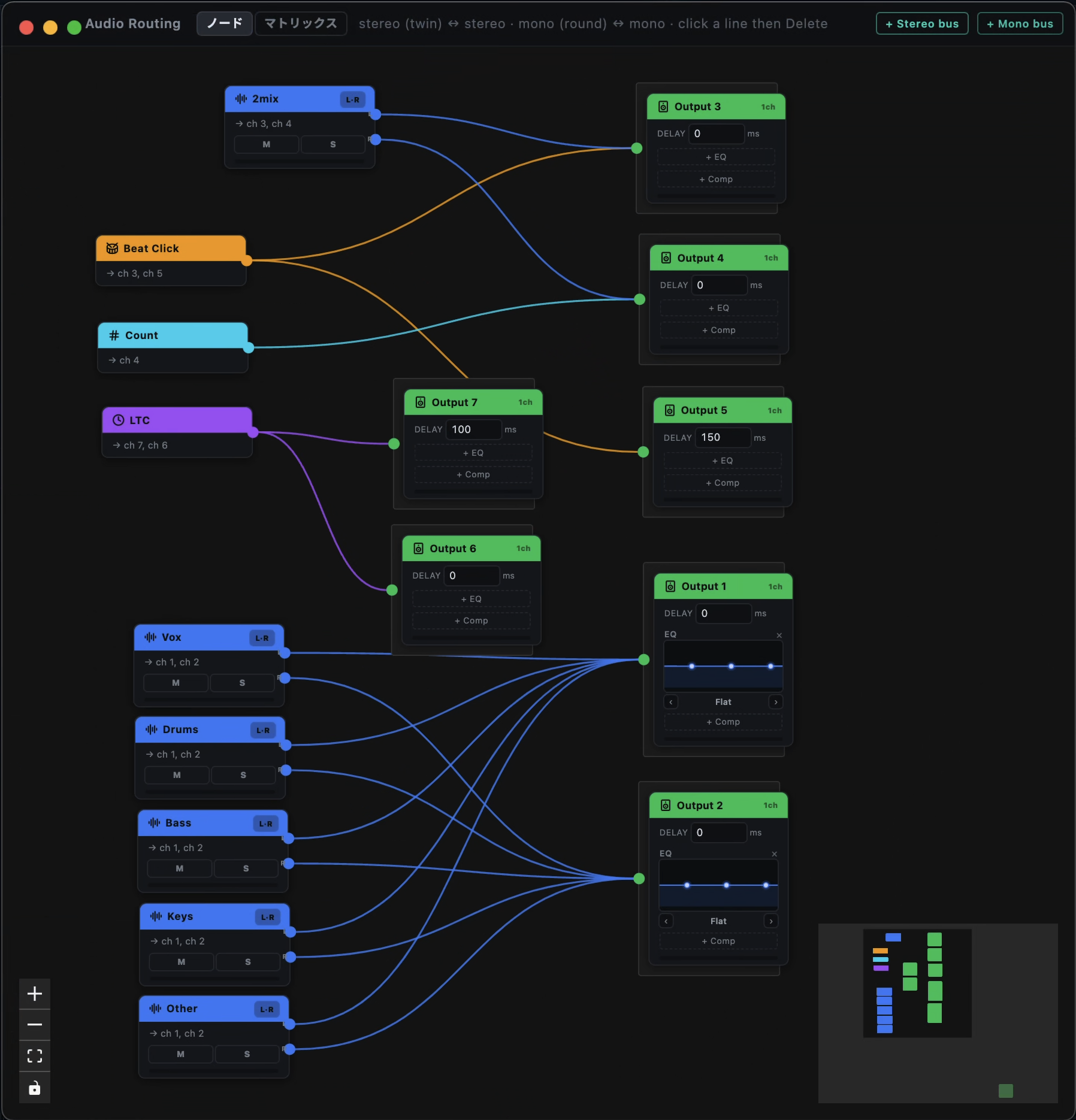
A native multichannel audio engine, built for the stage.

Route click, count, LTC, and every audio track to your output channels with a node editor. A low-latency native engine handles per-output frame delay compensation and a 3-band EQ at show quality, and the SEND MATRIX lets one source feed multiple outputs at once.

  • Native, low-latency multichannel output
  • Per-output frame delay (lead/lag) and a 3-band EQ
  • Flexible routing via node editor and SEND MATRIX
CueFlow audio routing node editor screen

Show each team the right view from the same sequence.

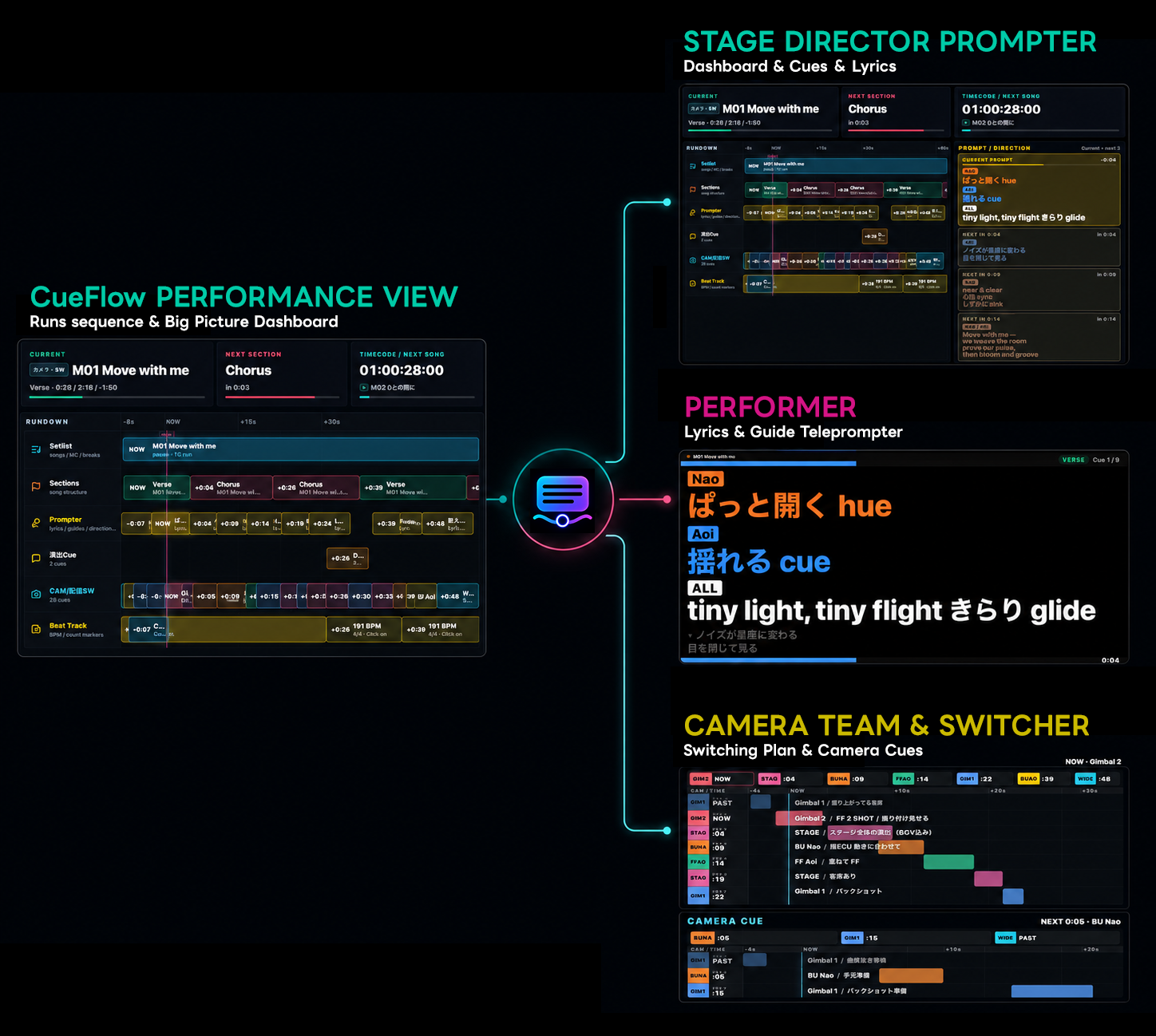
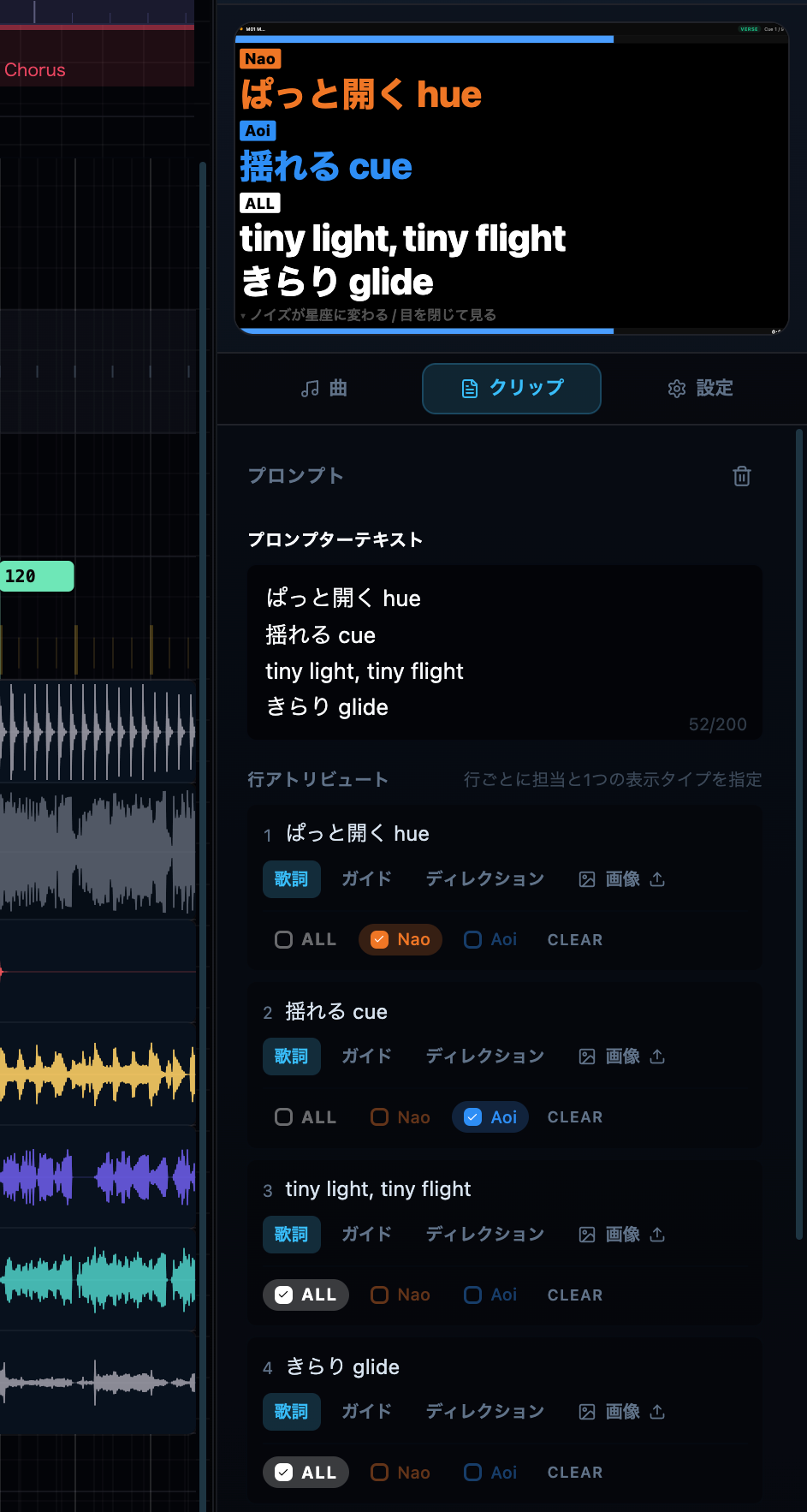
CueFlow teleprompters go beyond performer lyrics. Directors, lighting teams, cameras, switcher operators, and performers can each receive the current sequence state, upcoming cues, and production notes through local pop-out windows or network-published views.

  • Optimized views for performers, directors, lighting, and cameras
  • Paste images such as stage positions and blocking into the prompter
  • Share current position, upcoming cues, and production notes over network / Wi-Fi
  • Support local pop-out prompters and targeted messages
CueFlow Production Teleprompter output image

Keep camera directions and switcher cues on the show clock.

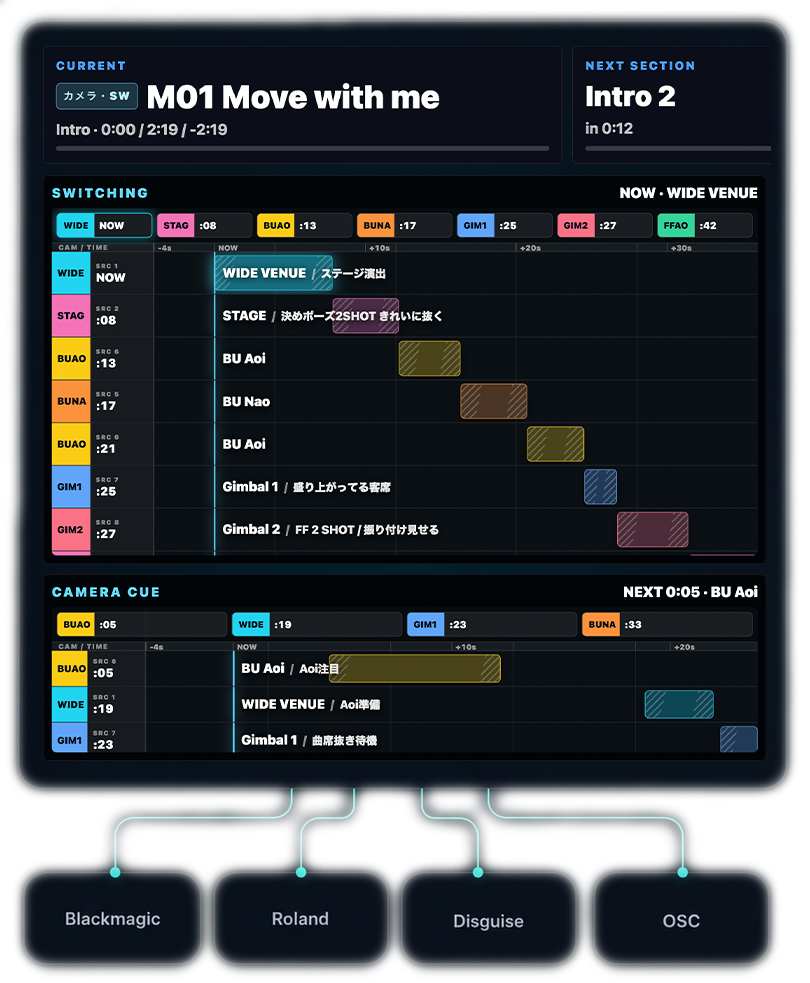
Camera Switcher workflows let camera directions and switcher signals live in the same Shot Track. CueFlow keeps Blackmagic, Roland, Disguise, and OSC-oriented video operations aligned with music, cues, and prompter content on one timeline.

  • Place shot cues for each camera on the timeline
  • Send switching signals to switchers and media servers
  • Support Blackmagic / Roland / Disguise / OSC workflows
CueFlow Camera Switcher and Shot Track integration image

Turn music and lyrics into show prep faster.

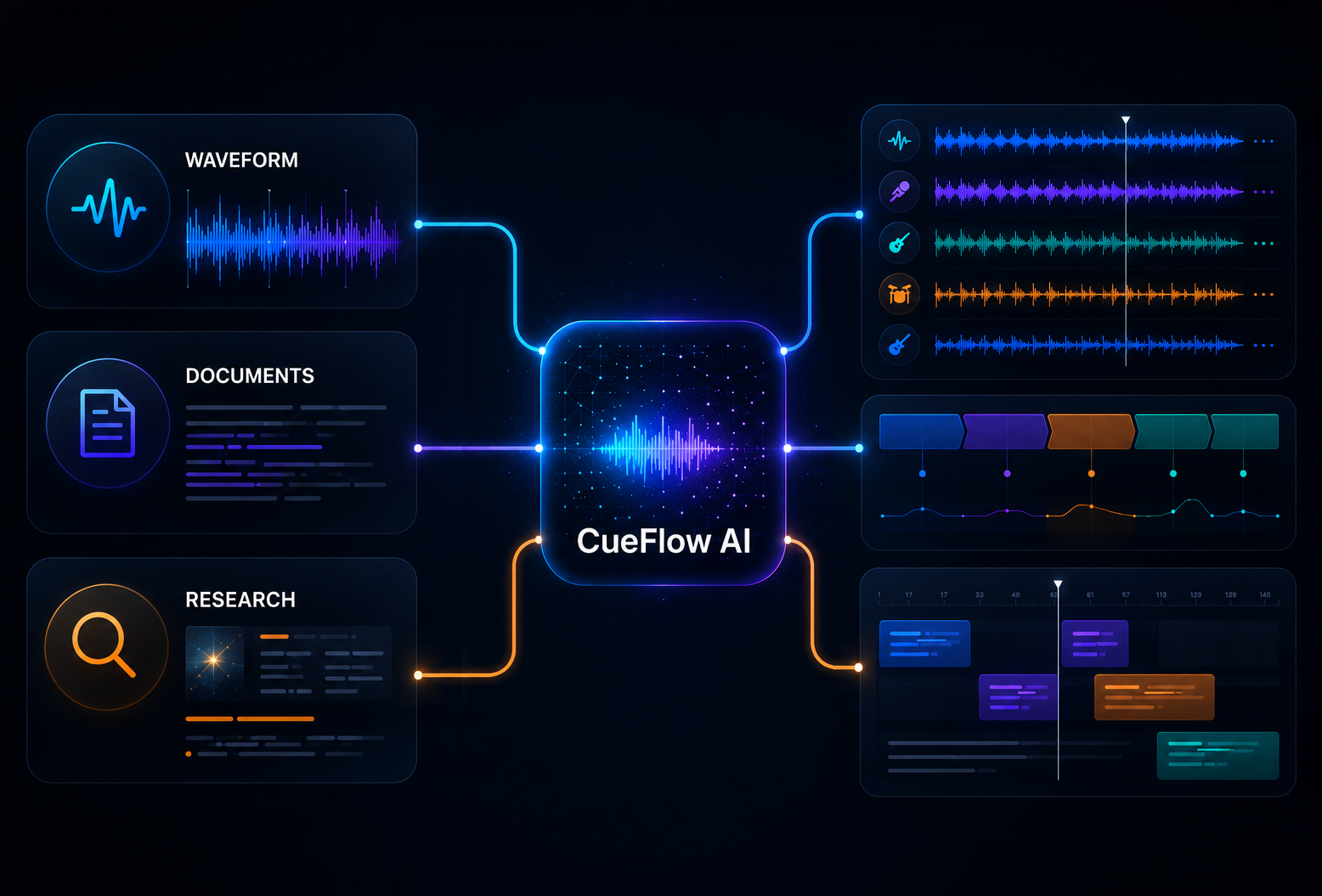
CueFlow AI analyzes music, lyrics, and web research to support stem separation, section analysis, and Production Prompter block placement. Build the first pass quickly, then let the production team review and finish it for the show.

  • Analyze music, lyrics, and web research together
  • Support stem separation and section analysis
  • Place Production Prompter blocks automatically

Co-edit in the cloud. Share across your org.

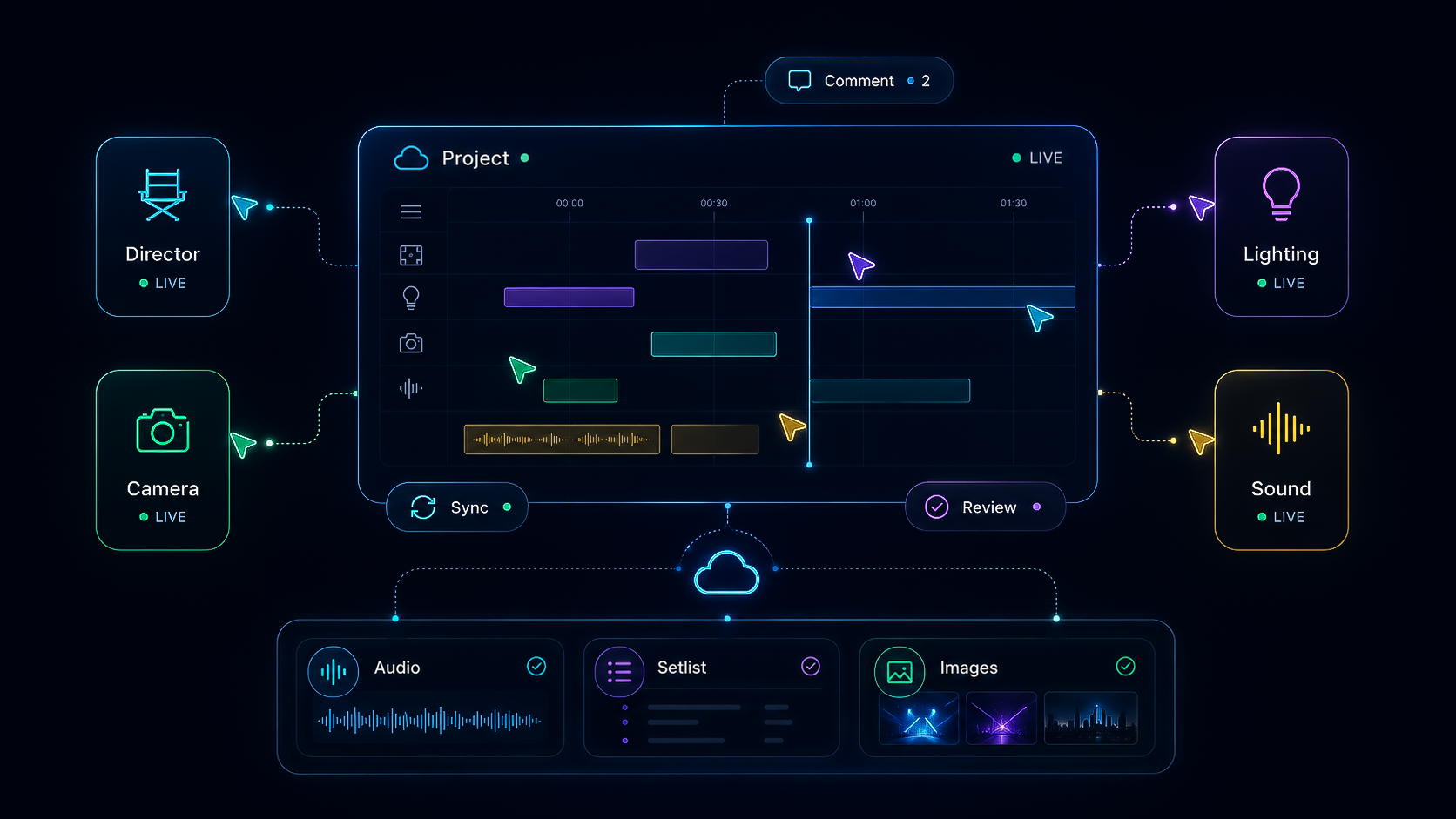
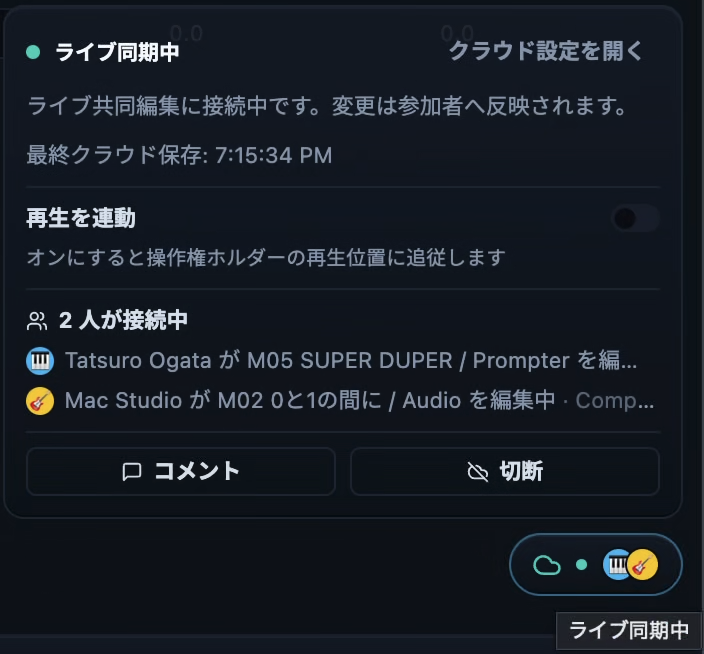
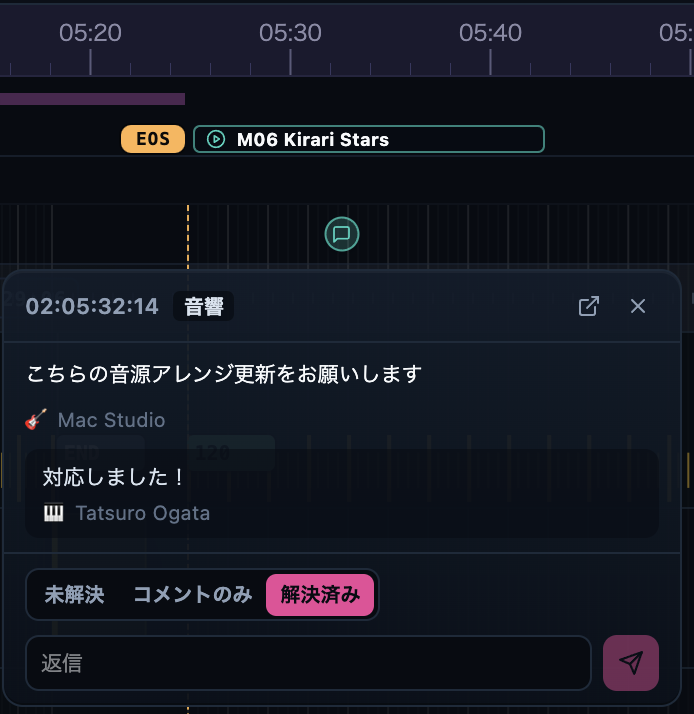
Multiple people can edit and view one cloud project at the same time. Production, audio, video, and direction teams follow the same timeline and share changes in real time. Organizations share storage and AI credits, and guests can join as viewers and commenters. Available now on the Team plan.

  • Real-time co-editing of one cloud project across your team
  • Everyone on the team automatically has access to the latest state.
  • Organizations and roles, with unlimited guest viewers and commenters
  • Shared cloud storage and AI credits across the organization
CueFlow cloud co-editing and organization collaboration image

Use CueFlow as a timecode source or chase an external clock.

CueFlow can send and receive LTC, Art-Net Timecode, and MTC. Use it as the master clock for other devices, or chase external timecode while the sequence follows along.

LTCInput MTCInput Art-NetInput
CueFlowSequence Clock
LTCOutput MTCOutput Art-NetOutput

Adjust the sequence directly inside CueFlow.

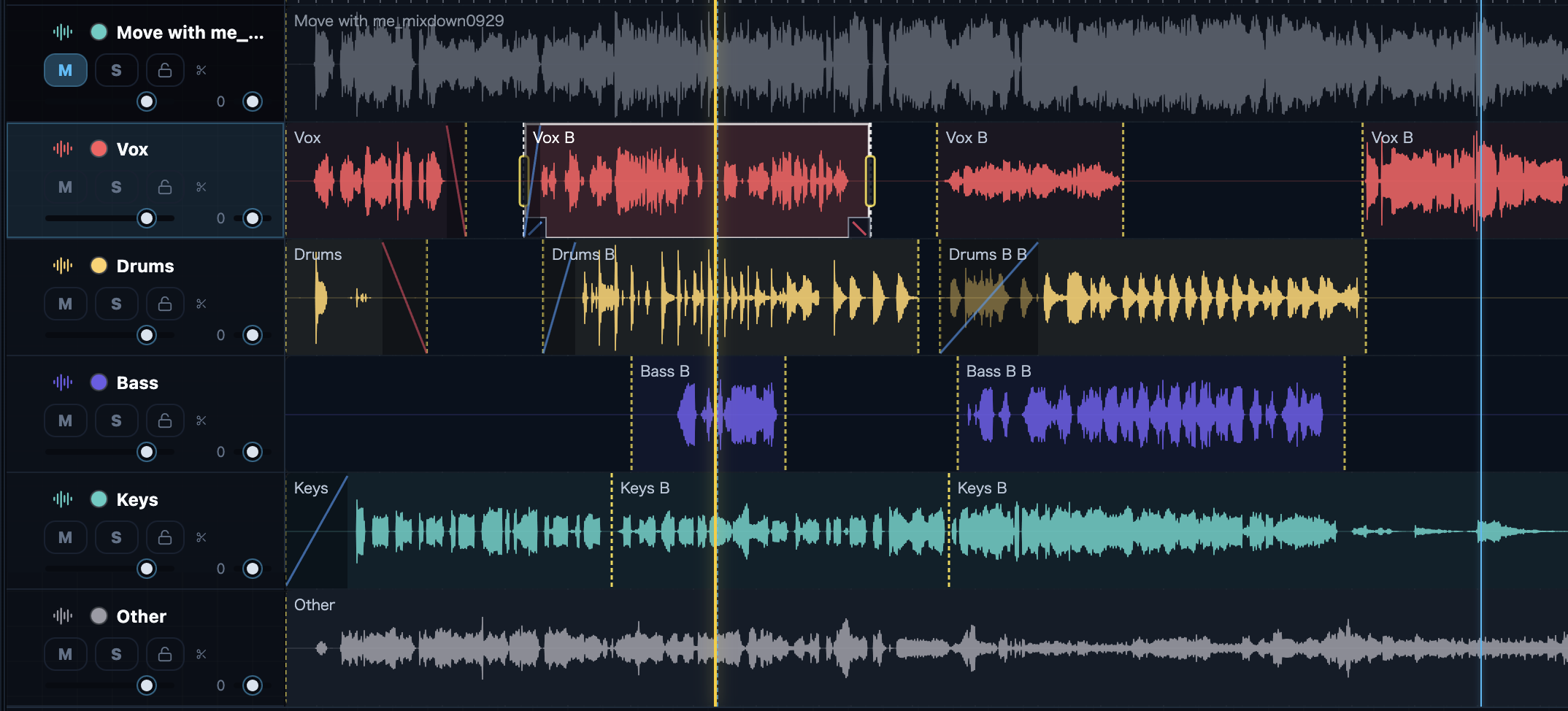
Use essential multitrack editing tools such as cuts, fades, mute/solo, and routing. Beyond a stereo mix (WAV), export sessions as LTC+mix, stems (one WAV per lane), a MIDI tempo map, grandMA2 timecode, or AAF (multitrack) — sections and BPM embedded in the WAV — handing the show straight to Pro Tools, lighting, and video.

CueFlow dynamic audio editing multitrack screen Cut Trim Fade Stem Export LTC Mix
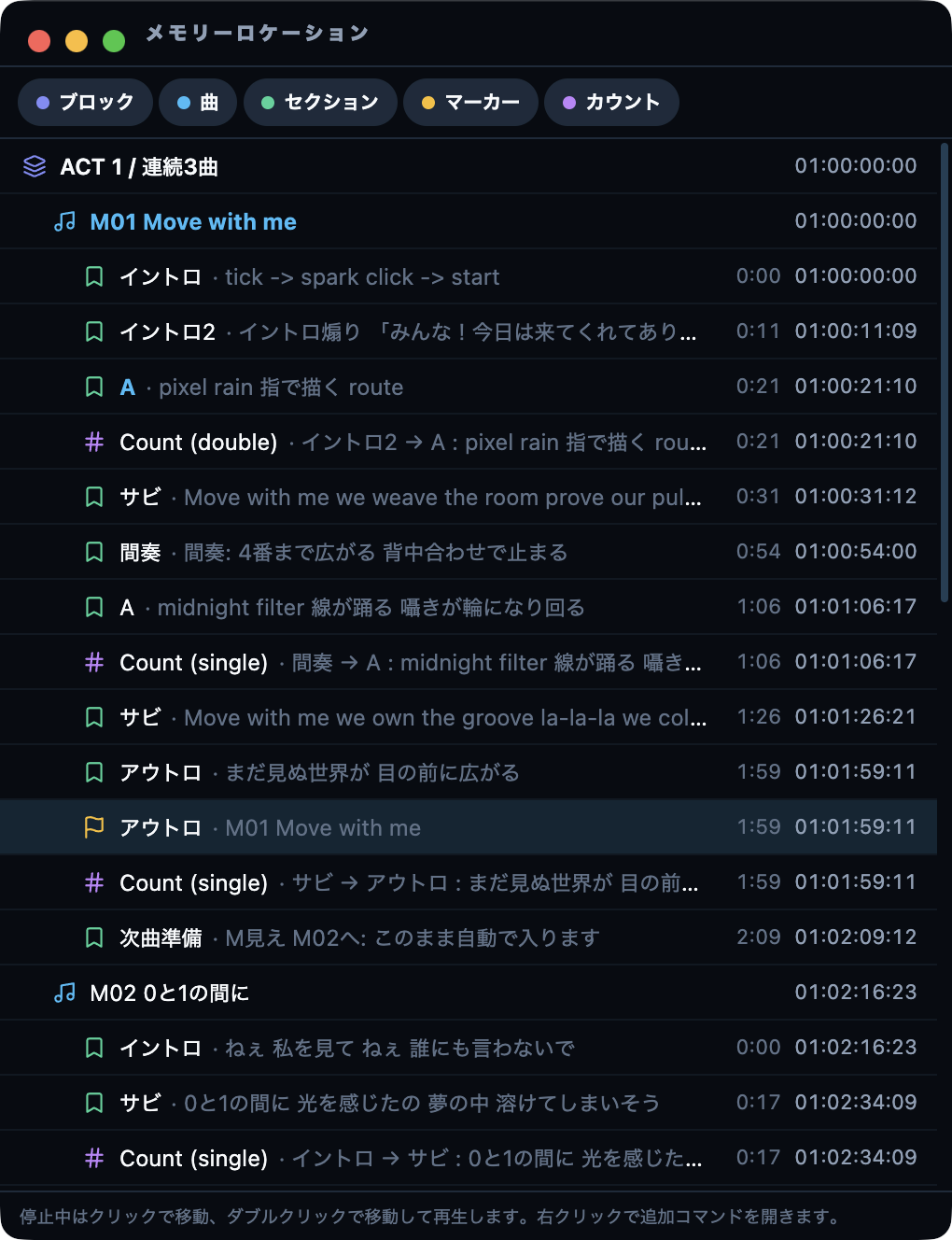
CueFlow Memory Locations window

Place fully synchronized sequences inside the playlist.

Create setlists with start times for songs, MCs, and show blocks. Timecode, music, Production Prompter content, recording, and production cues stay in the same flow, so operators can move confidently during the show.

CueFlow setlist and timeline view

New tools for the details that make show work smoother.

Rehearsal, cue sheets, show-safe controls, focused operation, and whole-show overview. CueFlow keeps adding the practical tools that reduce friction before and during a show.

Audio Export

Beyond a stereo mix (2mix WAV), export stems (one WAV per lane) and LTC+mix, with sections and BPM embedded in the WAV for the next stage (stems and LTC+mix are Pro+; Free is 2mix only).

Session / Cue Export

Export sessions as grandMA2 timecode, AAF (multitrack), a MIDI tempo map, or a Cue Sheet XLSX, and hand the show straight to Pro Tools, Logic Pro, Cubase, Nuendo, and lighting consoles (Pro+).

Cue Sheet XLSX

Export setlists, song sheets, cues, sections, bars, shots, targets, and notes as show-ready Excel workbooks.

MC Block

Beyond music, place MC scripts and talk segments as blocks. Show talk scripts in the Production Prompter so hosts never lose the next beat.

Cue Card

Send quick cue cards, changes, and notes to performers or production sections when the show moves.

Master Lock

From rehearsal to showtime, master lock prevents accidental edits and updates. Operation rights stay on one machine while remote clients keep playback in sync.

Lock Mode

Prevent accidental edits and unsafe operations during showtime while keeping playback controls available.

Performance Mode

Focus the interface on the views and actions needed during a live performance.

Slow Playback

Slow rehearsal playback while preserving pitch, so movement and lyric timing can be checked carefully.

Loop Playback

Loop a selected range to practice tricky spots and lock in lyric and choreography timing.

Auto Save

Automatically back up projects while you work, with a recovery flow after crashes.

Audio Routing

Route click, count, LTC, and audio tracks flexibly to output channels.

Unified View

View the whole performance as one timeline across songs, MCs, cues, Prompter content, and Shot Track directions.

Memory Locations

Navigate the full setlist and jump instantly to songs, sections, markers, or count points.

Project File Manager

Manage imported audio and images with SHA-256 references and relink automatically from Audio/Assets.

Project Import

Import song and setlist data from another project and merge it into the one you are working on.

Save With Assets

Package projects, Audio, Assets, and Waveforms together for reliable transfer to another computer.

Who CueFlow is for

CueFlow is a timeline for productions where playback alone is not enough. Bring shows, rehearsals, shoots, and livestream operations into one project.

01

Teams managing the whole path from planning to showtime

Build direction plans, rehearsals, dance practice, and live operation around the same sequence while cues and prompts mature with the production.

02

Lean venue teams running 2mix-based performances

Unify instructions, lyric prompts, cues, and timecode around a 2mix source so a small team can operate with fewer handoffs.

03

MV, camera, and motion-capture productions that need exact timing

Keep music, lyrics, movement notes, vocal direction, and camera cues on the same timeline for precise recording and performance direction.

04

Livestream and studio programs that need more than music timing

Organize BGM, scripts, camera shots, graphics prep, and performer prompts along the program flow for calmer small-team operation.